 鍵盤連發助手
 免費下載
免費下載鍵盤連發助手
快捷鍵、自動點擊、巨集錄製,輕鬆自動化重複任務
- 多鍵連發,循環簡單
- 記錄操作,複雜任務一鍵執行
- 玩家及辦公使用者皆適用
免費下載 支援 Windows 10/11
 安全下載
安全下載 輕量安裝
輕量安裝
強大的自動化功能
滿足日常辦公、遊戲、測試等多種自動化需求。

鍵盤連發
支援組合鍵連發功能,可自訂觸發頻率與執行次數,自動重複多個按鍵的組合操作。運行穩定流暢,適用於高頻或複雜操作場景。

鍵鼠動作錄製
一鍵開啟錄製,精準捕捉每一次滑鼠點擊與鍵盤輸入,完整記錄您的操作流程與細節。支援靈活回放與多次重現,確保每一步操作都高度還原,輕鬆應對重複性任務。

腳本編輯
內建腳本編輯功能,支援自訂編寫鍵盤與滑鼠操作邏輯,包括點擊、移動、輸入及延遲控制等。可靈活組合執行步驟,滿足多樣化自動化需求,提升操作效率與可控性。

滑鼠自動連點
一鍵設定點擊參數,自訂點擊頻率、間隔與執行次數,精準控制每一次操作節奏。支援穩定的滑鼠自動連續點擊,可長時間運行不中斷。

定時任務計畫
支援設定定時或週期性任務,按預設時間自動執行,無需手動干預。靈活配置執行頻率,減少重複操作,讓工作流程更高效順暢。
自動操作,一鍵完成
無需複雜配置,簡單設定即可實現自動化
設定操作
輕鬆配置按鍵或操作參數


錄製動作
記錄鍵盤和滑鼠操作流程
自動執行
一鍵啟動自動任務


循環運行
持續重複執行操作
適用於多種使用場景

遊戲操作
玩遊戲時,是不是經常需要瘋狂按鍵或連點操作?有了自動連發與連點功能,一鍵啟動,高頻操作自動完成,無需拼手速,操作更流暢,輕鬆應對各種戰鬥場景!

辦公效率
每天都有一堆重複操作令人頭痛?交給自動化工具搞定!一鍵執行批量任務,減少繁瑣步驟,省時又省力,讓工作效率直線上升!
軟體測試
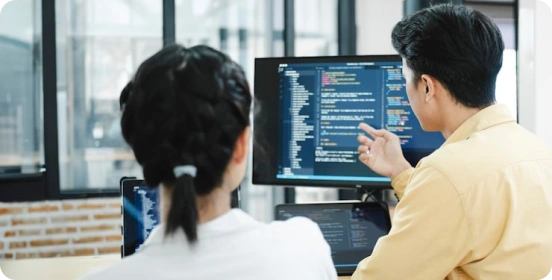
支援模擬精準的鍵盤與滑鼠輸入,批量重現操作流程與邊界場景,幫助提高測試覆蓋率與執行效率,提升測試準確性。

資料處理
加速資料錄入與重複處理任務,透過自動化流程減少人工錯誤,提升處理速度與準確性,讓資料工作更加高效有序。
為什麼選擇 鍵盤連發助手?
單鍵或組合鍵連發,自動執行高頻操作,比手動操作快 10 倍。
每一次點擊與觸發都精準穩定,不漏點、不延遲,確保操作過程流暢可靠。
無需編程基礎,透過錄製或簡單配置即可完成自動化設定,一鍵執行,輕鬆上手。
軟體體積小,占用資源低,運行流暢不卡頓,長時間使用依然順暢穩定。
支援長時間連續運行,性能穩定,保障自動化任務持續高效執行。
提供豐富的參數設定選項,可靈活調整頻率、次數與執行邏輯,滿足多樣化使用需求。
600萬+ 用戶正在使用

這款鍵盤自動點擊工具幫我節省了大量工作時間。我不再需要重複輸入相同資料,可調整的間隔功能非常實用。操作簡單且運行穩定,強烈推薦!

作為遊戲玩家,我經常需要重複點擊任務,這個工具簡直是救星!它非常輕量,不影響遊戲性能,自訂快捷鍵讓我操作更自由,是我用過最好的自動點擊工具。

我試過很多自動點擊工具,但這個最可靠。沒有廣告,沒有捆綁軟體,操作非常流暢。非常適合日常重複小任務,讓生活輕鬆許多。

作為資料輸入人員,我以前需要花幾個小時重複輸入相同資訊。自從使用這個工具後,工作時間減少了一半!自訂快捷鍵和自動重複功能徹底改變了我的日常工作體驗。

我完全不懂技術,但這個工具真的很好上手。我只用了2分鐘就設置好了每日簽到腳本,現在每天自動執行,再也不會忘記簽到了!

作為喜歡刷資源的玩家,鍵盤自動連發功能真的太強了。我可以設定最合適的速度長時間運行,完全不卡頓,再也不用手指酸痛了。

這款小工具真的徹底改變了我的辦公效率!以前要花大把時間重複輸入一模一樣的內容,現在全都交給它自動搞定。連發速度和間隔都能隨意調,用起來特別順手,還從來不會閃退。真不敢想以前沒它我是怎麼熬過來的!

我主要用它來玩遊戲,效果比我預想的好太多了。自動點擊和鍵盤連發都很流暢不卡頓,宏功能設置也很容易上手,新手也能玩明白。不掉幀,也不會被誤判,完全符合我的需求。

我太愛定時任務這個功能了!我設定它在固定時間自動跑一些常規操作,後台默默運行就完事。精準又穩定,幫我減輕了超多工作量。強烈推薦每個要做枯燥重複工作的人都試試。

常見問題解答
How can I get started quickly?
After downloading and installing the software, select the key you want to fire rapidly, set the click frequency (such as counts per second or time interval), and configure the start/stop hotkey. Once the settings are complete, simply click "Start" or press the hotkey to run it immediately; no complicated configuration is required.
Which custom features are supported?
The AutoKey supports a high degree of customization, including:
Single key presses or key combinations (such as Ctrl, Alt, Shift) in rapid succession.
Click frequency and interval adjustment (millisecond precision)
Rapid fire count or infinite loop setting
Execute multiple keys sequentially (loop script)
These features can meet different usage needs from basic to advanced.
Does it support macro recording and automated operation?
Yes. Advanced features typically include macro recording and playback, which can record keyboard and mouse operations and repeat them with a single click.
Is the AutoKey safe?
AutoKey from legitimate sources are safe and will not affect your system. It is recommended to always download from official websites and avoid using software from unknown sources. Furthermore, the software itself will not access or upload user privacy data, ensuring a controllable and secure usage experience.
Is there any risk in using it in the game?
In some games (especially competitive or online games), using rapid-fire tools may violate the rules and may result in detection or account banning. It is recommended to use them only in permitted scenarios.
Will it consume a lot of system resources?
No. AutoKey are usually small in size and lightweight in operation, with extremely low CPU and memory usage. Even when running in the background, they will not significantly affect computer performance or the normal use of other programs.
鍵盤連發助手
立即下載 鍵盤連發助手
精準控制每一次按鍵觸發,讓操作更快、更穩、更高效。

Copyright © 2025 Wonderful Apps Limited.
 中文(繁體)