 键盘连发助手
 免费下载
免费下载键盘连发助手
集快捷键组合、鼠标自动点击和宏录制于一体的自动化工具,让重复操作更简单高效。
- 支持多按键高速连发,轻松循环执行。
- 录制并回放操作,一键完成复杂任务。
- 游戏玩家与网购达人必备自动化工具。
免费下载 支持 Windows 10/11
 安全下载
安全下载 轻量安装
轻量安装
强大的自动化功能
满足日常办公、游戏、测试等多种自动化需求。

键盘连发
支持组合键连发功能,可自定义触发频率与执行次数,自动重复多个按键的组合操作。运行稳定流畅,适用于高频或复杂操作场景。

键鼠动作录制
一键开启录制,精准捕捉每一次鼠标点击与键盘输入,完整记录您的操作流程与细节。支持灵活回放与多次复现,确保每一步操作都高度还原,轻松应对重复性任务。

脚本编辑
内置脚本编辑功能,支持自定义编写键盘与鼠标操作逻辑,包括点击、移动、输入及延时控制等。可灵活组合执行步骤,满足多样化自动化需求,提升操作效率与可控性。

鼠标自动连点
一键设置点击参数,自定义点击频率、间隔与执行次数,精准控制每一次操作节奏。支持稳定的鼠标自动连续点击,可长时间运行不间断。

定时任务计划
支持设置定时或周期性任务,按预设时间自动执行,无需手动干预。灵活配置执行频率,减少重复操作,让工作流程更加高效顺畅。
自动操作,一键完成
无需复杂配置,简单设置即可实现自动化
设置操作
轻松配置按键或操作参数


录制动作
记录键盘和鼠标操作流程
自动执行
一键启动自动任务


循环运行
持续重复执行操作
适用于多种使用场景
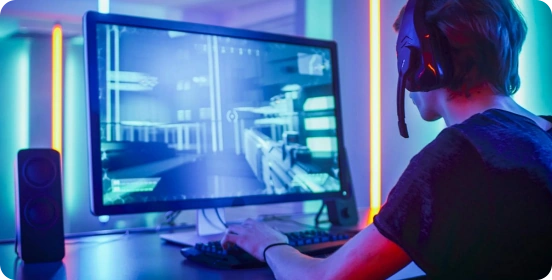
游戏操作
玩游戏时,是不是经常需要疯狂按键或连点操作?有了自动连发与连点功能,一键开启,高频操作自动完成,无需拼手速,操作更流畅,轻松应对各种战斗场景!

办公效率
每天都有一堆重复操作让人头疼?交给自动化工具来搞定!一键执行批量任务,减少繁琐步骤,省时又省力,让工作效率直线上升!
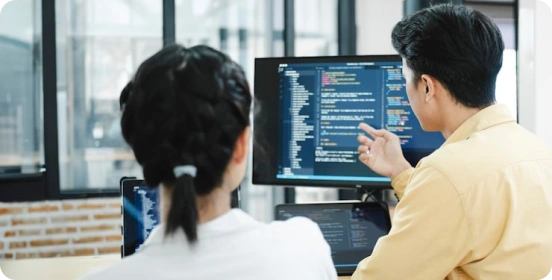
软件测试
支持模拟精准的键盘与鼠标输入,批量复现操作流程与边界场景,帮助提高测试覆盖率与执行效率,提高测试效率与准确性。

数据处理
加速数据录入与重复处理任务,通过自动化流程减少人为错误,提升处理速度与准确性,让数据工作更加高效有序。
为什么选择 键盘连发助手?
单键或组合键连发,自动执行高频操作,比手动操作快 10 倍。
每一次点击与触发都精准稳定,不漏点、不延迟,确保操作过程流畅可靠。
无需编程基础,通过录制或简单配置即可完成自动化设置,一键执行,轻松上手。
软件体积小,占用资源低,运行流畅不卡顿,长时间使用依然顺畅稳定。
支持长时间连续运行,性能稳定,保障自动化任务持续高效执行。
提供丰富的参数设置选项,可灵活调整频率、次数与执行逻辑,满足多样化使用需求。
600万+ 用户正在使用

这款键盘自动点击工具帮我节省了大量工作时间。我不再需要重复输入相同数据,可调节的间隔功能非常实用。操作简单且运行稳定,强烈推荐!

作为游戏玩家,我经常需要重复点击任务,这个工具简直是救星!它非常轻量,不影响游戏性能,自定义快捷键让我操作更自由,是我用过最好的自动点击工具。

我试过很多自动点击工具,但这个最可靠。没有广告,没有捆绑软件,操作非常流畅。非常适合日常重复小任务,让生活轻松许多。

作为数据录入人员,我以前需要花几个小时重复输入相同信息。自从使用这个工具后,工作时间减少了一半!自定义快捷键和自动重复功能彻底改变了我的日常工作体验。

我完全不懂技术,但这个工具真的很好上手。我只用了2分钟就设置好了每日签到脚本,现在每天自动执行,再也不会忘记签到了!

作为喜欢刷资源的玩家,键盘自动连发功能真的太强了。我可以设置最合适的速度长时间运行,完全不卡顿,再也不用手指酸痛了。

这款小工具真的彻底改变了我的办公效率!以前要花大把时间重复输入一模一样的内容,现在全都交给它自动搞定。连发速度和间隔都能随便调,用起来特别顺手,还从来不会闪退。真不敢想以前没它我是怎么熬过来的!

我主要用它来玩游戏,效果比我预想的好太多了。自动点击和键盘连发都很流畅不卡顿,宏功能设置也很容易上手,新手也能玩明白。不会掉帧,也不会被误判,完全符合我的需求。

我太爱定时任务这个功能了!我设置它在固定时间自动跑一些常规操作,后台默默运行就完事。精准又稳定,帮我减轻了超多工作量。强烈推荐每个要做枯燥重复工作的人都试试。

常见问题解答
How can I get started quickly?
After downloading and installing the software, select the key you want to fire rapidly, set the click frequency (such as counts per second or time interval), and configure the start/stop hotkey. Once the settings are complete, simply click "Start" or press the hotkey to run it immediately; no complicated configuration is required.
Which custom features are supported?
The AutoKey supports a high degree of customization, including:
Single key presses or key combinations (such as Ctrl, Alt, Shift) in rapid succession.
Click frequency and interval adjustment (millisecond precision)
Rapid fire count or infinite loop setting
Execute multiple keys sequentially (loop script)
These features can meet different usage needs from basic to advanced.
Does it support macro recording and automated operation?
Yes. Advanced features typically include macro recording and playback, which can record keyboard and mouse operations and repeat them with a single click.
Is the AutoKey safe?
AutoKey from legitimate sources are safe and will not affect your system. It is recommended to always download from official websites and avoid using software from unknown sources. Furthermore, the software itself will not access or upload user privacy data, ensuring a controllable and secure usage experience.
Is there any risk in using it in the game?
In some games (especially competitive or online games), using rapid-fire tools may violate the rules and may result in detection or account banning. It is recommended to use them only in permitted scenarios.
Will it consume a lot of system resources?
No. AutoKey are usually small in size and lightweight in operation, with extremely low CPU and memory usage. Even when running in the background, they will not significantly affect computer performance or the normal use of other programs.
键盘连发助手
立即下载 键盘连发助手
精准控制每一次按键触发,让操作更快、更稳、更高效。

Copyright © 2025 Wonderful Apps Limited.
 中文(简体)