 AutoKey
 無料ダウンロード
AutoKey
高速キー操作、マウス自動クリック、マクロ録画で繰り返し作業を簡単にする自動化ツール。
- 簡単なループ設定で複数キーを高速トリガー。
- 操作を録画して複雑な作業を自動化。
- ゲーマーとオンラインユーザーのための最適な自動化ツール。
無料ダウンロード Windows 10/11対応
 安全なダウンロード
 軽量インストール
強力な自動化機能
日常のオフィス作業、ゲーム、テストに最適。

キーボード自動連打
キーやキーの組み合わせを、速度や回数を指定して繰り返せます。

キーボード&マウス操作の録画
クリックや入力を正確に記録し、簡単に再生可能。

スクリプト編集
クリック、移動、入力、待機などの操作を自由に組み合わせられます。

マウス自動連打
クリック速度、間隔、回数を正確に設定可能。

タスクスケジュール
指定時間や周期で自動実行できます。
ワンクリックで自動操作
簡単設定ですぐに開始
操作を設定
キーやパラメータを簡単に設定


操作を録画
キーボードとマウスの動きを記録
自動実行
ワンクリックでタスク開始


ループ実行
操作を繰り返し実行
さまざまな使用シーンに対応
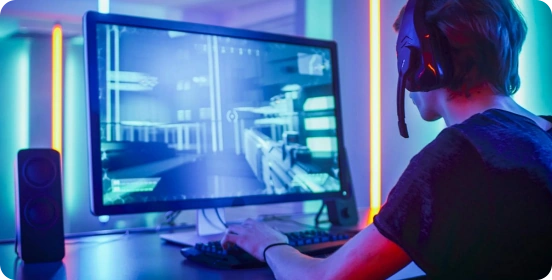
ゲーム操作
自動連打でゲーム操作が快適に。高頻度操作も簡単に完了。

オフィス効率化
繰り返し作業を自動化し、時間を節約。作業効率が向上。
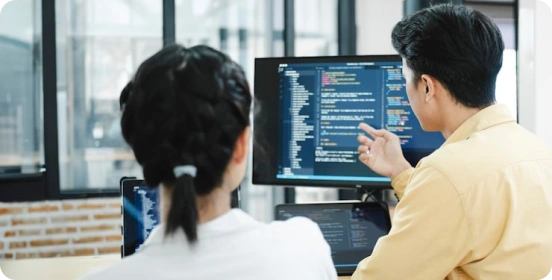
ソフトウェアテスト
キーボードとマウスの入力を正確に再現。操作フローや境界ケースの確認に最適。
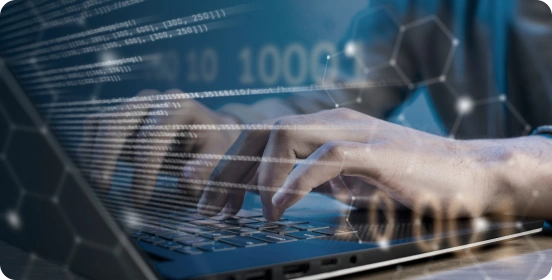
データ処理
データ入力や反復作業を自動化し、エラーを減らして効率化。
なぜ AutoKey を選ぶのか?
単一キーや組み合わせを手動より10倍速く実行。
すべてのクリックが正確で安定。漏れや遅延なし。
録画や簡単な設定だけで自動化をすぐに開始。
ソフトは小さく、リソース消費が少なく長時間でも安定。
長時間の連続実行にも対応。自動タスクを高効率で継続。
頻度、回数、実行ロジックを柔軟に調整可能。
600万+のユーザーが利用中

このツールで多くの時間を節約できました。データを繰り返し入力する必要がなくなり、間隔設定も便利で簡単に使えます。

ゲーマーとして、繰り返しクリックが必要な場面で大活躍!軽量でゲーム性能にも影響なし。カスタムショートカットが便利です。

多くの自動化ツールを試しましたが、これが最も信頼できます。広告なし、追加ソフトなし、操作はスムーズ。

以前は何時間も同じデータ入力をしていました。今では半分の時間で完了!

私は技術に詳しくなくても、2分で毎日のスクリプトを設定できました。

キーボード自動連打は長時間でも遅延なし。リソース稼ぎにも最適。

このツールでオフィス作業が劇的に効率化!速度や間隔を自由に設定でき、クラッシュもなし。

ゲームでの操作もスムーズ。マクロ設定も簡単で初心者でも使える。

タスクスケジュール機能が大好きです!自動で正確に実行され、作業がとても楽になりました。

よくある質問
How can I get started quickly?
After downloading and installing the software, select the key you want to fire rapidly, set the click frequency (such as counts per second or time interval), and configure the start/stop hotkey. Once the settings are complete, simply click "Start" or press the hotkey to run it immediately; no complicated configuration is required.
Which custom features are supported?
The AutoKey supports a high degree of customization, including:
Single key presses or key combinations (such as Ctrl, Alt, Shift) in rapid succession.
Click frequency and interval adjustment (millisecond precision)
Rapid fire count or infinite loop setting
Execute multiple keys sequentially (loop script)
These features can meet different usage needs from basic to advanced.
Does it support macro recording and automated operation?
Yes. Advanced features typically include macro recording and playback, which can record keyboard and mouse operations and repeat them with a single click.
Is the AutoKey safe?
AutoKey from legitimate sources are safe and will not affect your system. It is recommended to always download from official websites and avoid using software from unknown sources. Furthermore, the software itself will not access or upload user privacy data, ensuring a controllable and secure usage experience.
Is there any risk in using it in the game?
In some games (especially competitive or online games), using rapid-fire tools may violate the rules and may result in detection or account banning. It is recommended to use them only in permitted scenarios.
Will it consume a lot of system resources?
No. AutoKey are usually small in size and lightweight in operation, with extremely low CPU and memory usage. Even when running in the background, they will not significantly affect computer performance or the normal use of other programs.
AutoKey
今すぐ AutoKey をダウンロード
すべてのクリックを正確に制御。より速く、安定して、高効率。

Copyright © 2025 Wonderful Apps Limited.
 日本語
日本語