 AutoKey
 मुफ़्त डाउनलोड
AutoKey
एक ऑटोमेशन टूल जो तेज़ की कॉम्बिनेशन, ऑटो माउस क्लिक और मैक्रो रिकॉर्डिंग के साथ दोहराए जाने वाले कार्यों को सरल बनाता है।
- आसान लूप के साथ तेज़ मल्टी-की ट्रिगरिंग।
- जटिल कार्यों को ऑटोमेट करने के लिए रिकॉर्ड और रिप्ले करें।
- गेमर्स और ऑनलाइन यूज़र्स के लिए अंतिम ऑटोमेशन टूल।
मुफ़्त डाउनलोड Windows 10/11 सपोर्ट
 सुरक्षित डाउनलोड
 हल्का इंस्टॉलेशन
शक्तिशाली ऑटोमेशन फीचर्स
दैनिक ऑफिस, गेमिंग और टेस्टिंग के लिए।

कीबोर्ड की स्वचालित दोहराव
कस्टमाइज़ की जा सकती गति और बार की संख्या के साथ कीबोर्ड या की-कॉम्बिनेशन को दोहराएं।

माउस और कीबोर्ड रिकॉर्डिंग
हर क्लिक और टाइप को सटीक रूप से रिकॉर्ड करें और आसानी से रिप्ले करें।

स्क्रिप्ट संपादक
क्लिक, मूवमेंट, इनपुट और डिले लॉजिक के लिए अपनी कस्टम ऑटोमेशन स्क्रिप्ट बनाएं।

स्वचालित माउस क्लिक
क्लिक स्पीड, अंतराल और संख्या को सटीक नियंत्रण में रखें।

टास्क शेड्यूलिंग
नियत समय या दोहराव वाले टास्क को ऑटोमैटिकली चलाएं।
एक क्लिक में ऑटोमेशन
सरल सेटअप और तुरंत शुरुआत
एक्शन सेट करें
कीज़ और पैरामीटर आसानी से कॉन्फ़िगर करें


एक्शन रिकॉर्ड करें
कीबोर्ड और माउस की हर कार्रवाई कैप्चर करें
स्वचालित रूप से चलाएँ
एक क्लिक में टास्क शुरू करें


लूप में दोहराएँ
एक्शन को लगातार रिपीट करें
विभिन्न उपयोग क्षेत्रों के लिए उपयुक्त
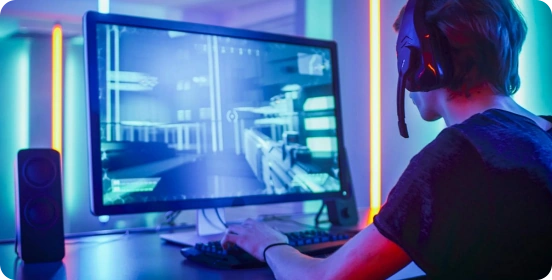
गेमिंग
ऑटो-क्लिक और रिपीट से गेमिंग अनुभव फ्लूइड और आसान बनाएं।

ऑफिस वर्क
दोहराए जाने वाले कामों को ऑटोमेट करें, समय बचाएं और प्रोडक्टिविटी बढ़ाएँ।
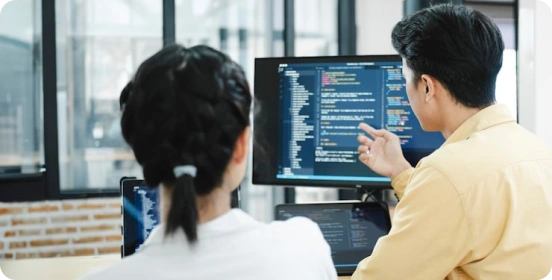
सॉफ्टवेयर टेस्टिंग
कीबोर्ड और माउस इनपुट को सटीक रूप से सिमुलेट करें और टास्क को रिप्रोड्यूस करें।

डेटा प्रोसेसिंग
डेटा एंट्री और रिपीट काम को तेज़ करें, त्रुटियों को कम करें।
क्यों चुनें AutoKey?
कीज़ या कॉम्बिनेशन 10 गुना तेज़ी से मैनुअल से।
हर क्लिक सटीक और स्थिर, बिना किसी देरी या मिस के।
रिकॉर्डिंग या सरल सेटिंग्स से तुरंत ऑटोमेशन।
छोटा, कम रिसोर्स खपत, लंबे समय तक स्थिर।
लगातार चलने वाला, ऑटो टास्क हमेशा इफिशिएंट।
फ्रीक्वेंसी, रिपीट और लॉजिक के लिए लचीले विकल्प।
6 मिलियन+ उपयोगकर्ता

इस टूल ने मेरा बहुत समय बचाया। मुझे डेटा बार-बार एंटर नहीं करना पड़ता। अंतराल सेटिंग्स बहुत उपयोगी हैं। आसान और स्थिर।

गेमर के रूप में, मुझे बार-बार क्लिक करने की जरूरत होती है – यह टूल बहुत काम का है! हल्का, प्रदर्शन प्रभावित नहीं, कस्टम शॉर्टकट बेहतरीन।

मैंने कई टूल्स आजमाए, लेकिन यह सबसे भरोसेमंद है। कोई एड नहीं, कोई बंडल नहीं, बहुत स्मूद।

पहले मैं घंटों डेटा एंटर करता था। अब आधा समय लगता है!

मुझे तकनीक नहीं आती, फिर भी मैंने 2 मिनट में डेली स्क्रिप्ट सेट कर लिया।

ऑटो कीबोर्ड कॉम्बिनेशन लंबे समय तक बिना रुकावट चल सकते हैं – संसाधन फ़ार्मिंग के लिए परफेक्ट।

इस टूल ने मेरे ऑफिस वर्क को पूरी तरह बदल दिया! स्पीड और अंतराल कस्टमाइज़ेबल, कभी क्रैश नहीं।

गेमिंग में सब स्मूद, मैक्रोज़ सेटअप आसान, शुरुआती भी इस्तेमाल कर सकते हैं।

मुझे टास्क शेड्यूलिंग बहुत पसंद है! ऑटोमैटिक, सटीक और भरोसेमंद, बहुत काम आसान हो गया।

अक्सर पूछे जाने वाले प्रश्न
How can I get started quickly?
After downloading and installing the software, select the key you want to fire rapidly, set the click frequency (such as counts per second or time interval), and configure the start/stop hotkey. Once the settings are complete, simply click "Start" or press the hotkey to run it immediately; no complicated configuration is required.
Which custom features are supported?
The AutoKey supports a high degree of customization, including:
Single key presses or key combinations (such as Ctrl, Alt, Shift) in rapid succession.
Click frequency and interval adjustment (millisecond precision)
Rapid fire count or infinite loop setting
Execute multiple keys sequentially (loop script)
These features can meet different usage needs from basic to advanced.
Does it support macro recording and automated operation?
Yes. Advanced features typically include macro recording and playback, which can record keyboard and mouse operations and repeat them with a single click.
Is the AutoKey safe?
AutoKey from legitimate sources are safe and will not affect your system. It is recommended to always download from official websites and avoid using software from unknown sources. Furthermore, the software itself will not access or upload user privacy data, ensuring a controllable and secure usage experience.
Is there any risk in using it in the game?
In some games (especially competitive or online games), using rapid-fire tools may violate the rules and may result in detection or account banning. It is recommended to use them only in permitted scenarios.
Will it consume a lot of system resources?
No. AutoKey are usually small in size and lightweight in operation, with extremely low CPU and memory usage. Even when running in the background, they will not significantly affect computer performance or the normal use of other programs.
AutoKey
AutoKey अभी डाउनलोड करें
हर क्लिक को सटीक नियंत्रित करें – तेज़, स्थिर और प्रभावी।

Copyright © 2025 Wonderful Apps Limited.
 हिन्दी