 AutoKey
 ดาวน์โหลดฟรี
AutoKey
เครื่องมืออัตโนมัติอัจฉริยะที่ช่วยให้คุณสามารถกดคีย์ลัด คลิกเมาส์ และบันทึกการทำงานแบบมาโครได้อย่างง่ายดาย ลดงานซ้ำซ้อนและเพิ่มประสิทธิภาพการทำงานในทุกสถานการณ์ ไม่ว่าจะเป็นงานออฟฟิศ เกม หรือการทดสอบซอฟต์แวร์
- รองรับการกดปุ่มอัตโนมัติหลายรูปแบบ พร้อมการตั้งค่าความเร็วและการวนซ้ำแบบยืดหยุ่น
- สามารถบันทึกการทำงานของคีย์บอร์ดและเมาส์ได้อย่างแม่นยำ แล้วนำมาเล่นซ้ำได้ทันที
- เหมาะสำหรับทั้งผู้ใช้งานทั่วไป เกมเมอร์ และผู้ที่ต้องทำงานซ้ำ ๆ เป็นประจำ
ดาวน์โหลดฟรี รองรับ Windows 10/11 ทุกเวอร์ชัน
 ปลอดภัย ไม่มีไวรัสหรือโฆษณาแฝง
 ติดตั้งง่าย ใช้งานได้ทันทีภายในไม่กี่วินาที
ฟีเจอร์อัตโนมัติที่ทรงพลัง
รองรับงานประจำ เกม และการทดสอบต่าง ๆ

กดคีย์ซ้ำอัตโนมัติ
ตั้งค่าความถี่และจำนวนครั้งของคีย์เดี่ยวหรือคีย์ผสมได้ตามต้องการ

บันทึกการทำงานคีย์บอร์ดและเมาส์
จับทุกคลิกและการพิมพ์อย่างแม่นยำ พร้อมเล่นซ้ำได้ง่าย

แก้ไขสคริปต์
รวมการคลิก เคลื่อนที่ พิมพ์ และหน่วงเวลาได้อย่างยืดหยุ่น

คลิกเมาส์อัตโนมัติ
ควบคุมความเร็ว ระยะห่าง และจำนวนครั้งของการคลิกอย่างแม่นยำ

ตั้งเวลางาน
ตั้งเวลาให้ทำงานอัตโนมัติเป็นรอบหรือครั้งเดียว
อัตโนมัติด้วยคลิกเดียว
ตั้งค่าเรียบง่าย เริ่มใช้งานทันที
ตั้งค่าการทำงาน
กำหนดคีย์และพารามิเตอร์ง่าย ๆ


บันทึกการทำงาน
จับทุกการทำงานของคีย์บอร์ดและเมาส์
รันอัตโนมัติ
เริ่มงานด้วยคลิกเดียว


ทำซ้ำต่อเนื่อง
ทำงานซ้ำโดยอัตโนมัติอย่างต่อเนื่อง
เหมาะกับหลายสถานการณ์
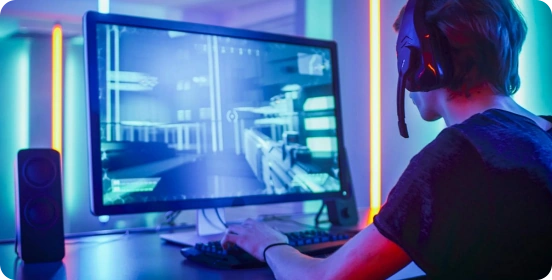
เล่นเกม
กดคีย์และคลิกอัตโนมัติ ทำให้การเล่นเกมราบรื่น

เพิ่มประสิทธิภาพการทำงาน
ลดงานซ้ำซาก ประหยัดเวลาและเพิ่มประสิทธิภาพ
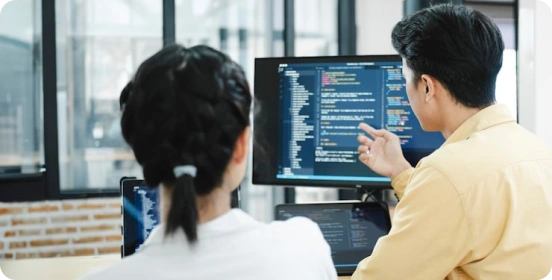
ทดสอบซอฟต์แวร์
จำลองการป้อนคีย์และเมาส์ได้แม่นยำ สำหรับการทดสอบทุกขั้นตอน

ประมวลผลข้อมูล
เร่งการป้อนข้อมูลและงานซ้ำ ลดข้อผิดพลาด เพิ่มความเร็วในการทำงาน
ทำไมต้องเลือก AutoKey?
ทำงานคีย์เดี่ยวหรือคีย์ผสมได้เร็วกว่าใช้มือถึง 10 เท่า
ทุกคลิกแม่นยำและเสถียร ไม่มีพลาดหรือหน่วง
ตั้งค่าอัตโนมัติได้ง่ายด้วยการบันทึกหรือปรับค่าธรรมดา
โปรแกรมขนาดเล็ก ใช้ทรัพยากรน้อย ใช้งานต่อเนื่องได้ราบรื่น
รองรับการรันต่อเนื่อง ยืนยันความมีประสิทธิภาพ
ปรับความถี่ จำนวนครั้ง และลอจิกการทำงานได้ตามต้องการ
ผู้ใช้มากกว่า 6 ล้านคน

เครื่องมือนี้ช่วยประหยัดเวลามาก ไม่ต้องพิมพ์ซ้ำอีกต่อไป การตั้งค่าช่วงเวลาสะดวกมาก ใช้งานง่ายและเสถียร

ในฐานะนักเล่นเกม ผมต้องคลิกซ้ำบ่อย ๆ เครื่องมือนี้ช่วยได้มาก! น้ำหนักเบา ไม่กระทบประสิทธิภาพเกม ปรับปุ่มลัดได้สะดวก

ลองใช้หลายเครื่องมือแล้ว แต่เครื่องมือนี้เชื่อถือได้ที่สุด ไม่มีโฆษณา ไม่มีโปรแกรมแฝง การทำงานราบรื่นมาก

ก่อนหน้านี้ใช้เวลาหลายชั่วโมงพิมพ์ข้อมูลซ้ำ ตอนนี้เร็วขึ้นครึ่งหนึ่ง!

ผมไม่เก่งเทคโนโลยี แต่ตั้งสคริปต์รายวันได้ใน 2 นาที

ฟีเจอร์กดคีย์อัตโนมัติทำงานต่อเนื่องไม่สะดุด เหมาะกับการฟาร์ม

เครื่องมือนี้ทำให้การทำงานง่ายขึ้นมาก! ตั้งค่าความเร็วและช่วงเวลาได้ตามต้องการ ไม่เคยค้าง

ในเกมทุกอย่างราบรื่น ตั้งค่าแมโครง่าย มือใหม่ก็ใช้ได้

ชอบฟีเจอร์ตั้งเวลางาน! ทำงานอัตโนมัติแม่นยำ ช่วยลดภาระได้เยอะ

คำถามที่พบบ่อย
How can I get started quickly?
After downloading and installing the software, select the key you want to fire rapidly, set the click frequency (such as counts per second or time interval), and configure the start/stop hotkey. Once the settings are complete, simply click "Start" or press the hotkey to run it immediately; no complicated configuration is required.
Which custom features are supported?
The AutoKey supports a high degree of customization, including:
Single key presses or key combinations (such as Ctrl, Alt, Shift) in rapid succession.
Click frequency and interval adjustment (millisecond precision)
Rapid fire count or infinite loop setting
Execute multiple keys sequentially (loop script)
These features can meet different usage needs from basic to advanced.
Does it support macro recording and automated operation?
Yes. Advanced features typically include macro recording and playback, which can record keyboard and mouse operations and repeat them with a single click.
Is the AutoKey safe?
AutoKey from legitimate sources are safe and will not affect your system. It is recommended to always download from official websites and avoid using software from unknown sources. Furthermore, the software itself will not access or upload user privacy data, ensuring a controllable and secure usage experience.
Is there any risk in using it in the game?
In some games (especially competitive or online games), using rapid-fire tools may violate the rules and may result in detection or account banning. It is recommended to use them only in permitted scenarios.
Will it consume a lot of system resources?
No. AutoKey are usually small in size and lightweight in operation, with extremely low CPU and memory usage. Even when running in the background, they will not significantly affect computer performance or the normal use of other programs.
AutoKey
ดาวน์โหลด AutoKey ตอนนี้
ควบคุมทุกคลิกอย่างแม่นยำ – เร็วขึ้น เสถียรขึ้น และมีประสิทธิภาพมากขึ้น

Copyright © 2025 Wonderful Apps Limited.
 แบบไทย