 AutoKey
 Tải về miễn phí
AutoKey
Công cụ tự động hóa với phím tắt, click chuột tự động và ghi macro giúp đơn giản hóa các tác vụ lặp lại.
- Bắn nhiều phím nhanh chóng với vòng lặp dễ dàng
- Ghi và phát lại các tác vụ phức tạp tự động
- Hoàn hảo cho game thủ và người dùng chuyên nghiệp
Tải về miễn phí Hỗ trợ Windows 10/11
 Tải về an toàn
 Cài đặt nhẹ
Tính năng tự động mạnh mẽ
Hỗ trợ công việc, chơi game và kiểm thử

Nhấn phím tự động
Tùy chỉnh tần suất và số lần lặp của phím đơn hoặc tổ hợp

Ghi lại thao tác bàn phím & chuột
Ghi lại từng nhấp chuột và nhập phím chính xác, dễ phát lại

Chỉnh sửa script
Kết hợp nhấp, di chuyển, gõ phím và trì hoãn linh hoạt

Nhấp chuột tự động
Kiểm soát chính xác tốc độ, khoảng cách và số lần nhấp

Lập lịch tác vụ
Tự động chạy theo thời gian định sẵn hoặc theo chu kỳ
Tự động chỉ với 1 click
Thiết lập nhanh, bắt đầu ngay
Cấu hình thao tác
Xác định phím và tham số đơn giản


Ghi lại thao tác
Ghi lại đầy đủ thao tác bàn phím và chuột
Chạy tự động
Khởi chạy tác vụ chỉ với 1 click


Lặp lại liên tục
Tự động thực hiện thao tác liên tục
Phù hợp nhiều tình huống

Chơi game
Nhấn phím và nhấp chuột tự động giúp chơi game mượt mà

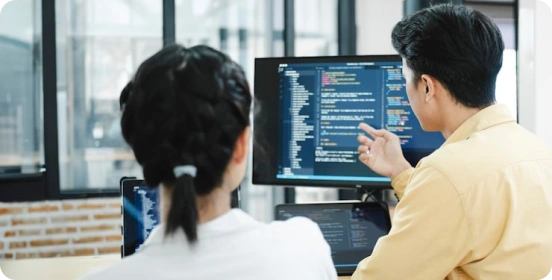
Tăng hiệu suất công việc
Tự động các công việc lặp đi lặp lại, tiết kiệm thời gian
Kiểm thử phần mềm
Mô phỏng thao tác chính xác, đảm bảo kiểm thử đầy đủ

Xử lý dữ liệu
Tăng tốc nhập liệu và xử lý lặp, giảm lỗi, nâng cao hiệu quả
Tại sao chọn AutoKey?
Thực hiện thao tác nhanh gấp 10 lần so với tay
Mỗi nhấp chính xác, ổn định, không bỏ sót hay trễ
Ghi lại hoặc thiết lập đơn giản là có thể tự động hóa
Dung lượng nhỏ, ít tài nguyên, chạy lâu vẫn mượt
Hỗ trợ chạy liên tục, đảm bảo hiệu quả lâu dài
Điều chỉnh tần suất, số lần và logic thao tác linh hoạt
Hơn 6 triệu người dùng

Công cụ này giúp tôi tiết kiệm rất nhiều thời gian. Không còn phải nhập dữ liệu lặp lại nữa. Khoảng thời gian tùy chỉnh rất tiện lợi và dễ sử dụng.

Là game thủ, tôi thường phải nhấp liên tục – công cụ này thật cứu cánh! Nhẹ, không ảnh hưởng hiệu suất game, phím tắt tùy chỉnh rất tiện.

Tôi đã thử nhiều công cụ tự động, nhưng cái này là đáng tin cậy nhất. Không quảng cáo, không phần mềm đi kèm, thao tác mượt mà.

Trước đây mất hàng giờ nhập dữ liệu giống nhau. Giờ chỉ còn nửa thời gian!

Tôi không rành công nghệ nhưng thiết lập script hàng ngày chỉ mất 2 phút.

Tính năng nhấn phím tự động chạy lâu mà không bị gián đoạn – hoàn hảo cho việc farm.

Công cụ này thay đổi hoàn toàn hiệu suất công việc! Tốc độ và khoảng thời gian tùy chỉnh, chưa bao giờ bị treo.

Trong game mọi thứ mượt mà, thiết lập macro dễ, người mới cũng dùng được.

Rất thích tính năng lập lịch! Tác vụ tự động và chính xác, giảm tải công việc rất nhiều.

Câu hỏi thường gặp
How can I get started quickly?
After downloading and installing the software, select the key you want to fire rapidly, set the click frequency (such as counts per second or time interval), and configure the start/stop hotkey. Once the settings are complete, simply click "Start" or press the hotkey to run it immediately; no complicated configuration is required.
Which custom features are supported?
The AutoKey supports a high degree of customization, including:
Single key presses or key combinations (such as Ctrl, Alt, Shift) in rapid succession.
Click frequency and interval adjustment (millisecond precision)
Rapid fire count or infinite loop setting
Execute multiple keys sequentially (loop script)
These features can meet different usage needs from basic to advanced.
Does it support macro recording and automated operation?
Yes. Advanced features typically include macro recording and playback, which can record keyboard and mouse operations and repeat them with a single click.
Is the AutoKey safe?
AutoKey from legitimate sources are safe and will not affect your system. It is recommended to always download from official websites and avoid using software from unknown sources. Furthermore, the software itself will not access or upload user privacy data, ensuring a controllable and secure usage experience.
Is there any risk in using it in the game?
In some games (especially competitive or online games), using rapid-fire tools may violate the rules and may result in detection or account banning. It is recommended to use them only in permitted scenarios.
Will it consume a lot of system resources?
No. AutoKey are usually small in size and lightweight in operation, with extremely low CPU and memory usage. Even when running in the background, they will not significantly affect computer performance or the normal use of other programs.
AutoKey
Tải AutoKey ngay
Kiểm soát chính xác mỗi nhấp – nhanh hơn, ổn định hơn, hiệu quả hơn
 FionnShare
Copyright © 2025 Wonderful Apps Limited.
 Tiếng Việt